ServiceNow
Making an Enterprise Chatbot Feel Human
TEAM
2 Product Designers
1 Product Manager
Content Writer
Engineering Team
ROLE
Product Designer
Prototyping
End to End Design
Iteration
TOOLS
Figma
Miro
Zoom
Builttools (Internal)
YEAR
August - October 2022
SUMMARY
Designing Identity at Scale
When I joined ServiceNow, I stepped into a challenge every big brand struggled with: their chatbots all looked and sounded the same. From Disney to Microsoft, I built the experience that lets companies give their chatbot a real identity. A voice. A personality. A look that feels like them. All without needing a designer every time something changes.
PROBLEM
Enterprise Chatbots, One Problem: They All Look the Same
Virtual Agent handled complex workflows well, but visually it was a blank slate. Clients wanted a chatbot that matched their brand, but the system offered no flexibility. The lack of customization created friction, frustration, and low engagement.
SOLUTION
Transforming a Generic Bot Into a Branded Experience
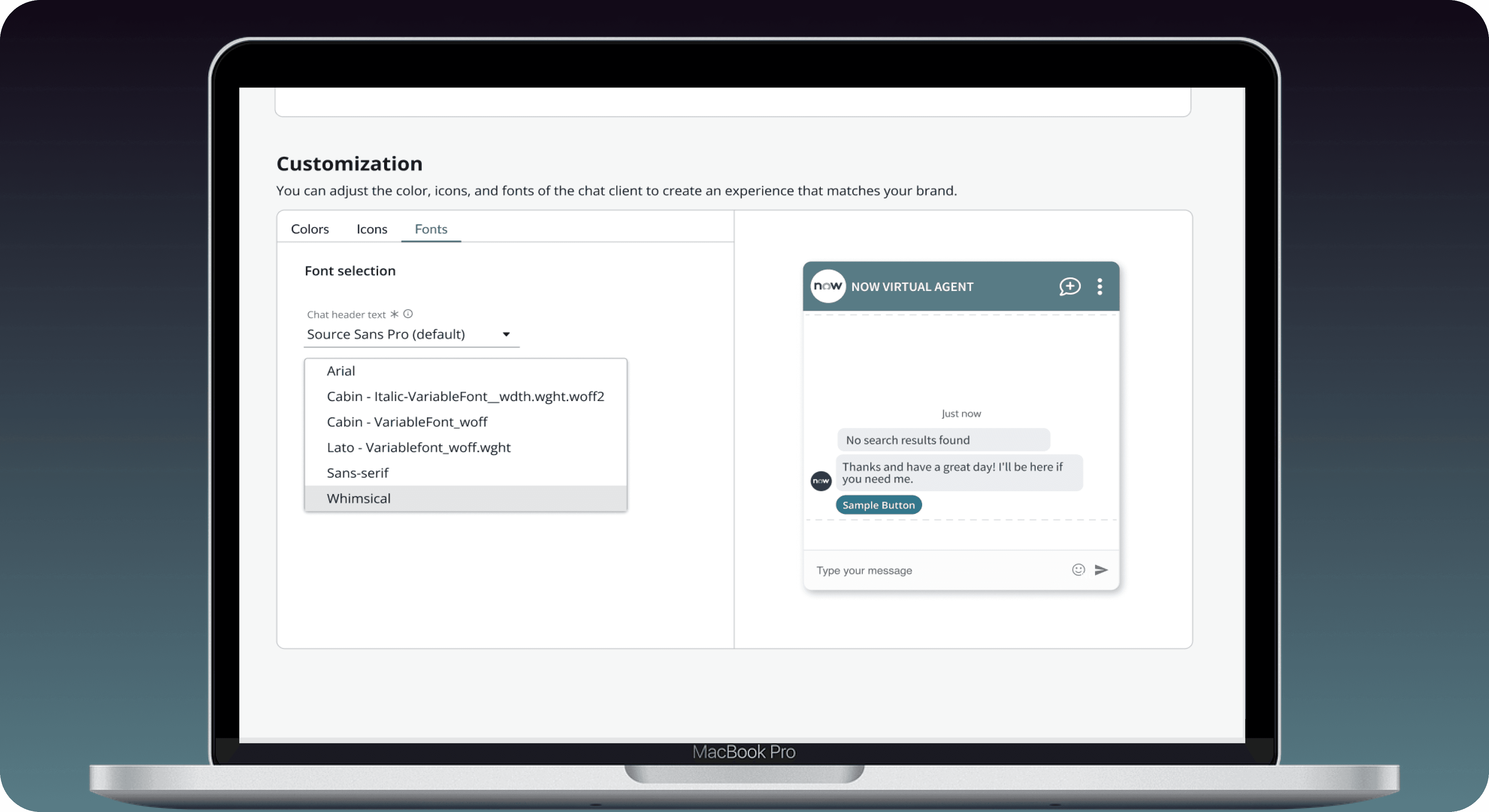
I created a Branding Configuration Hub that finally gave clients full control over their chatbot’s identity without needing engineering support. Through iterative prototyping and close collaboration with platform, product, and engineering teams, we built a unified experience where companies could customize:
Colors
Typography
Imagery
I led the desktop launch and ensured the system worked seamlessly across all channels, including web, Slack, SMS, and Facebook Workplace.
DISCOVERY + RESEARCH
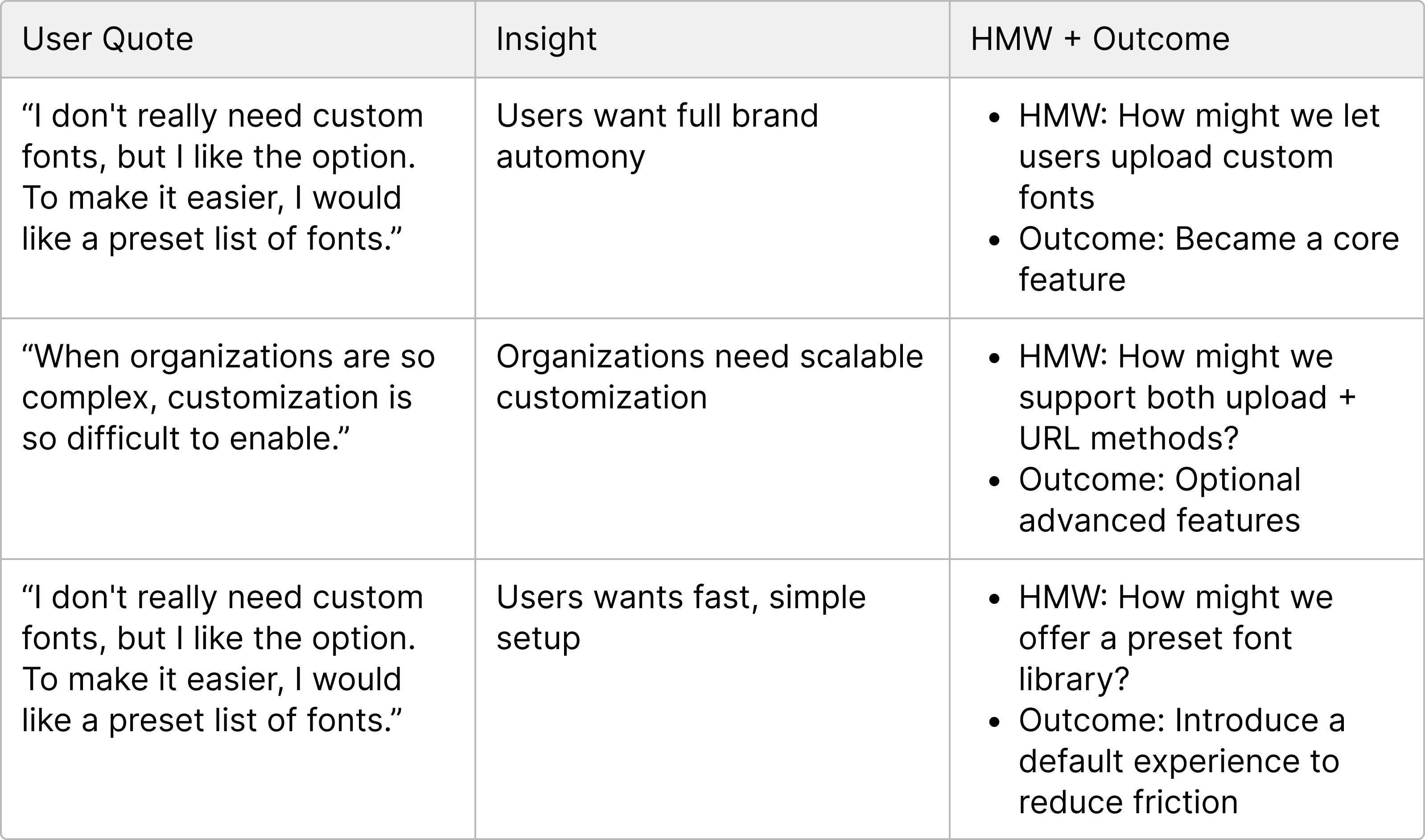
Users Need Flexible Font Customization Without Increasing Setup Complexity
User feedback revealed one insight: people want the freedom to customize, but not the burden of complexity.
PROTOTYPING CHALLENGES + CONSTRAINTS
Different Challenges Led to Thinking Outside of the Box
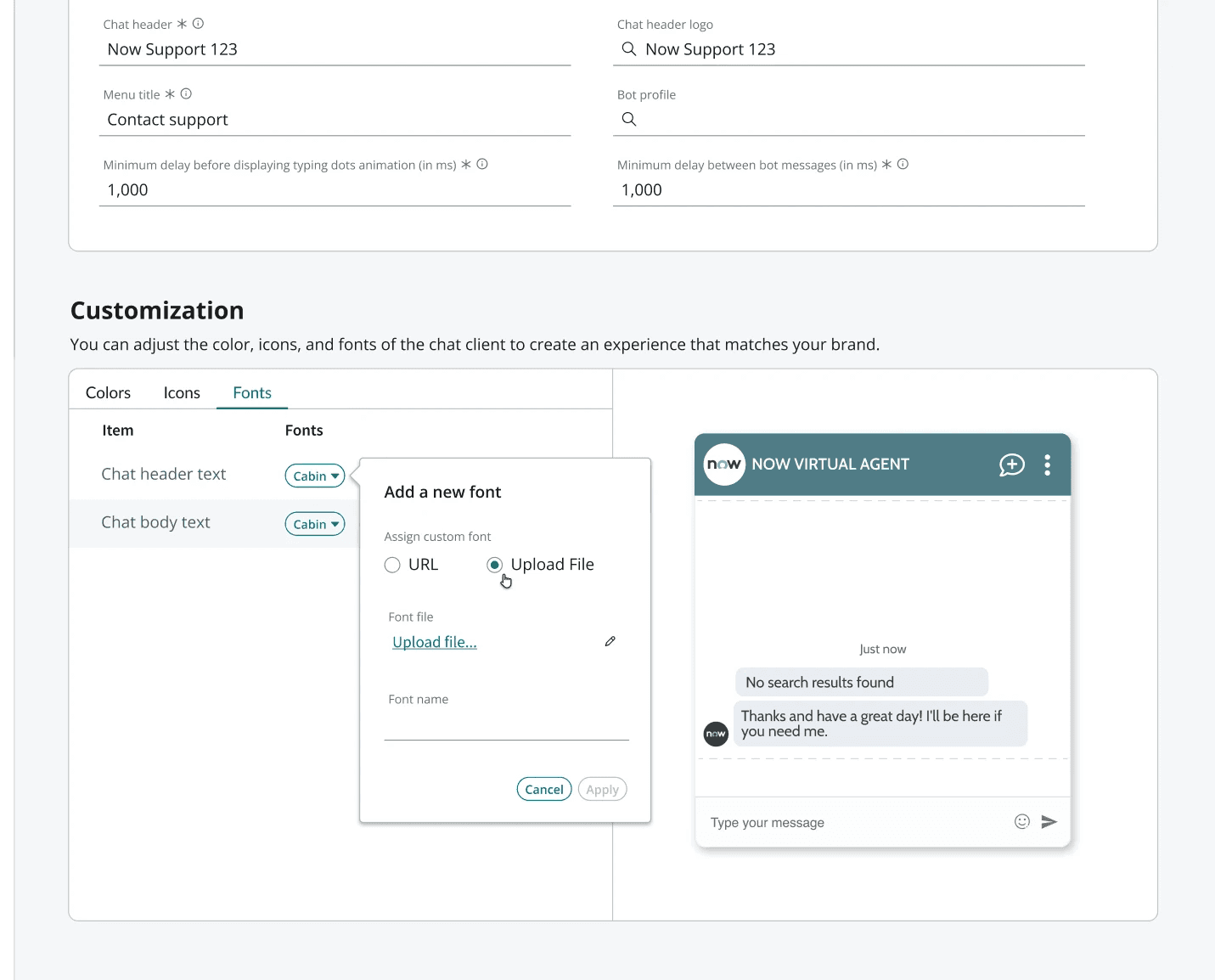
CONFUSING MODAL INTERACTIONS → WE SIMPLIFIED THE INTERACTION MODEL
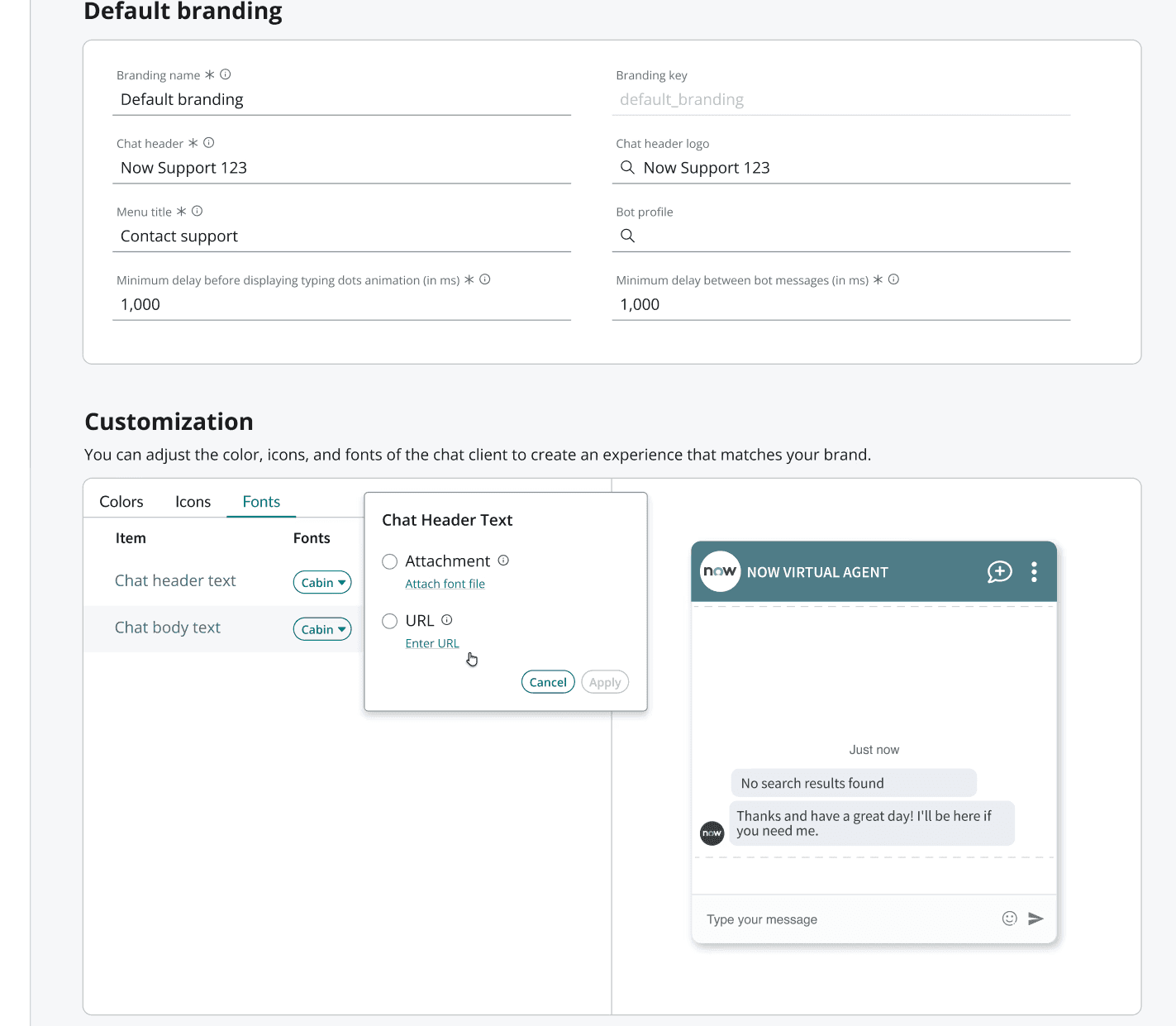
Challenge: The modal layout used radio buttons and link-based interactions that confused users.
Action: I tested early prototypes and documented where users got stuck while toggling options.
Key Insight / Result: Users misinterpreted link styling as navigation instead of selection — revealing the need for clearer affordances.
SWITCHING INPUTS CREATED CONFUSION → INTRODUCED GUIDED STEPS
Challenge: Upload + URL options were grouped too closely, causing confusion when users switched between them.
Action: Observed test sessions and noticed users hesitating when the UI changed subtly.
Key Insight / Result: A clearer, step-by-step flow was needed to guide users through the process. We also introduced user-defined font naming because file metadata was inconsistent.
ENGINEERING LIMITS FORCED BUTTON SPLIT → SEPARATING UI IMPROVED CLARITY
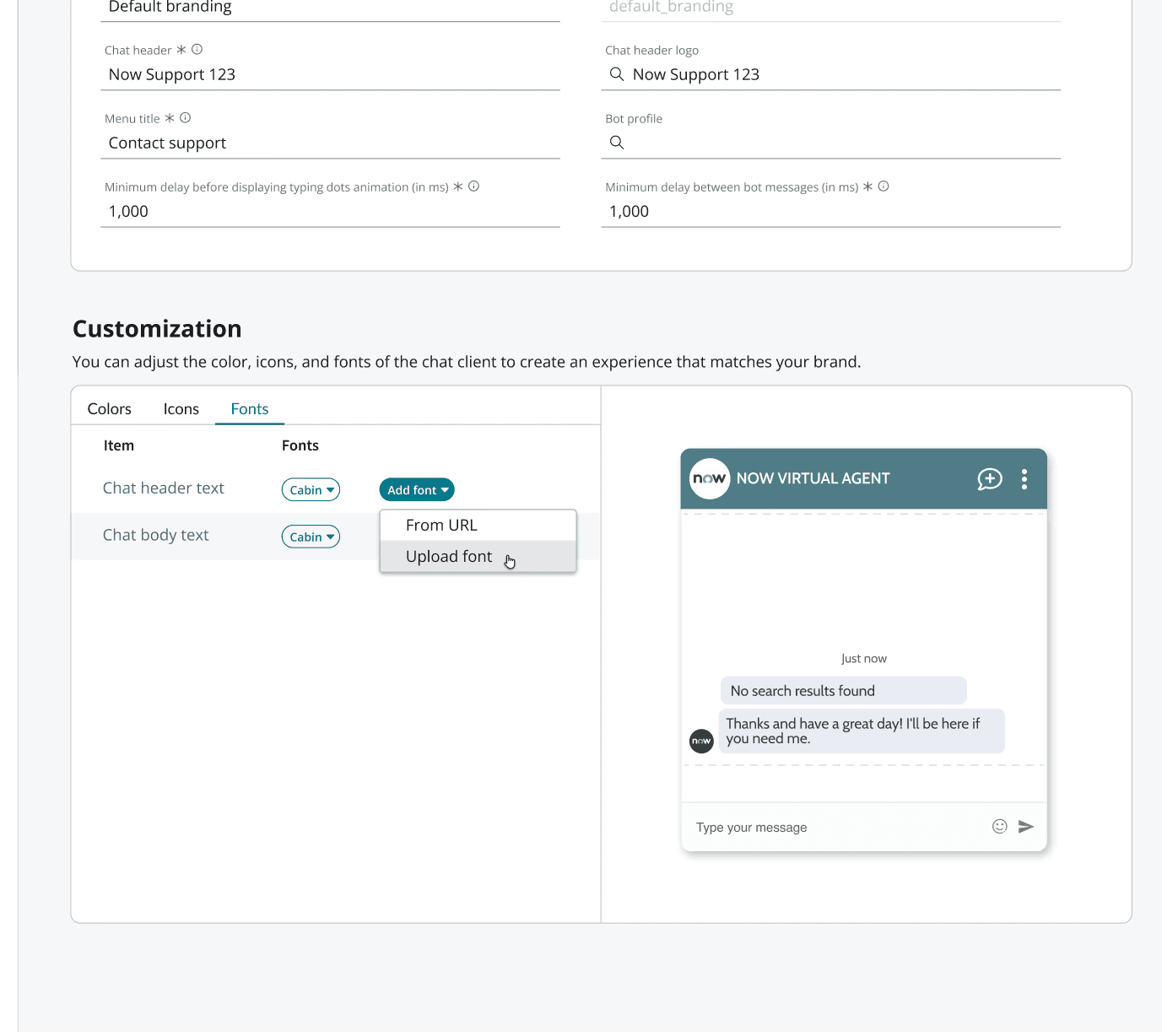
Challenge: Technical limitations required splitting key options into separate components.
Action: Collaborated with engineering to restructure the interaction without adding complexity.
Key Insight / Result: By separating the interactions, clarity improved — turning a constraint into a UX improvement.
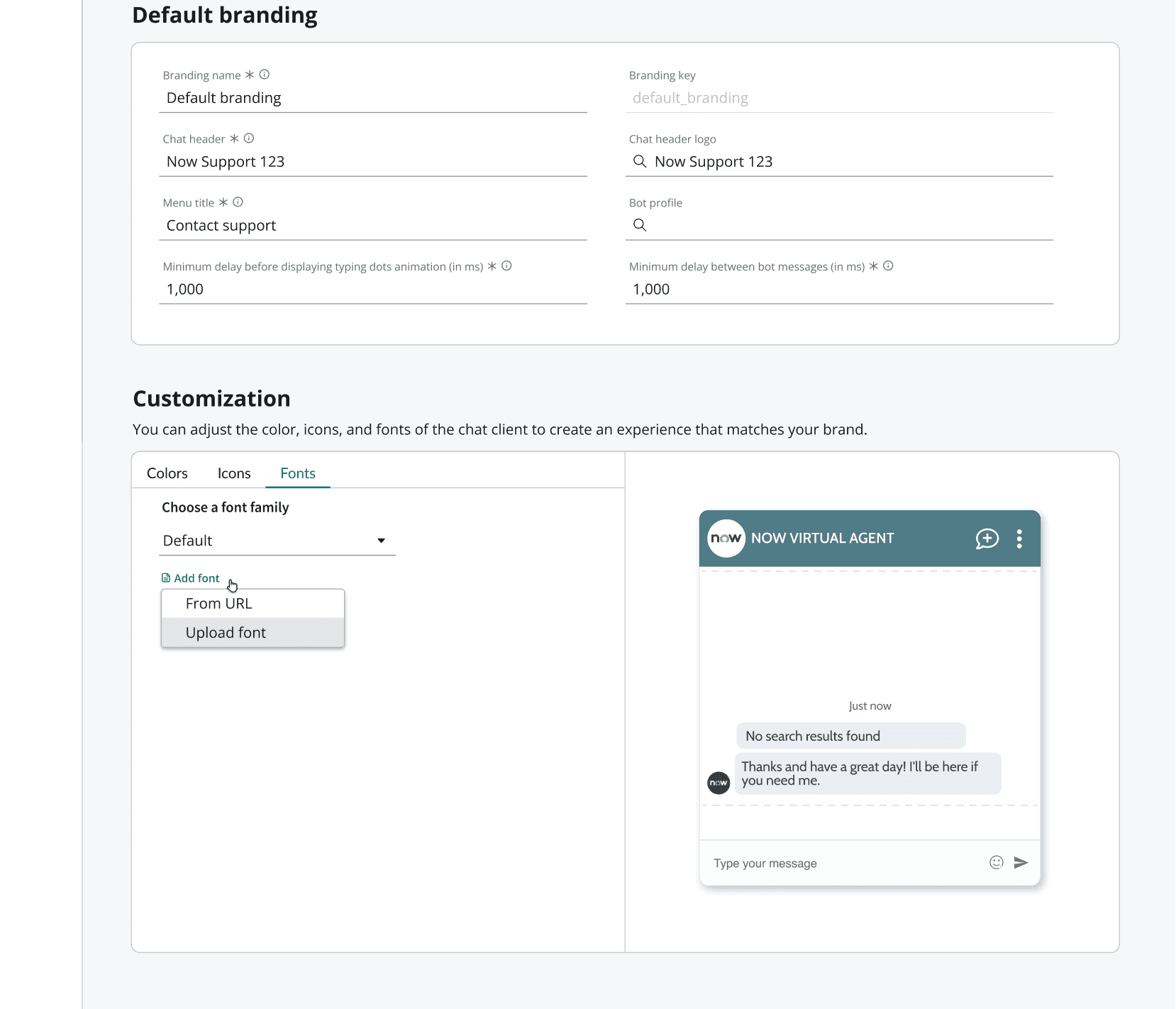
HIERARCHY WAS UNCLEAR → STRONG PRIMARY ACTION FIXED THE FLOW
Challenge: The original layout didn’t communicate hierarchy; dropdowns and manual inputs looked equally important.
Action: Audited the design hierarchy and simplified the visual flow.
Key Insight / Result: Prioritizing the dropdown as the primary action reduced interaction friction and helped guide user decision-making.
ADDITIONAL INSIGHT
Micro-Interactions Increase Perceived Personality
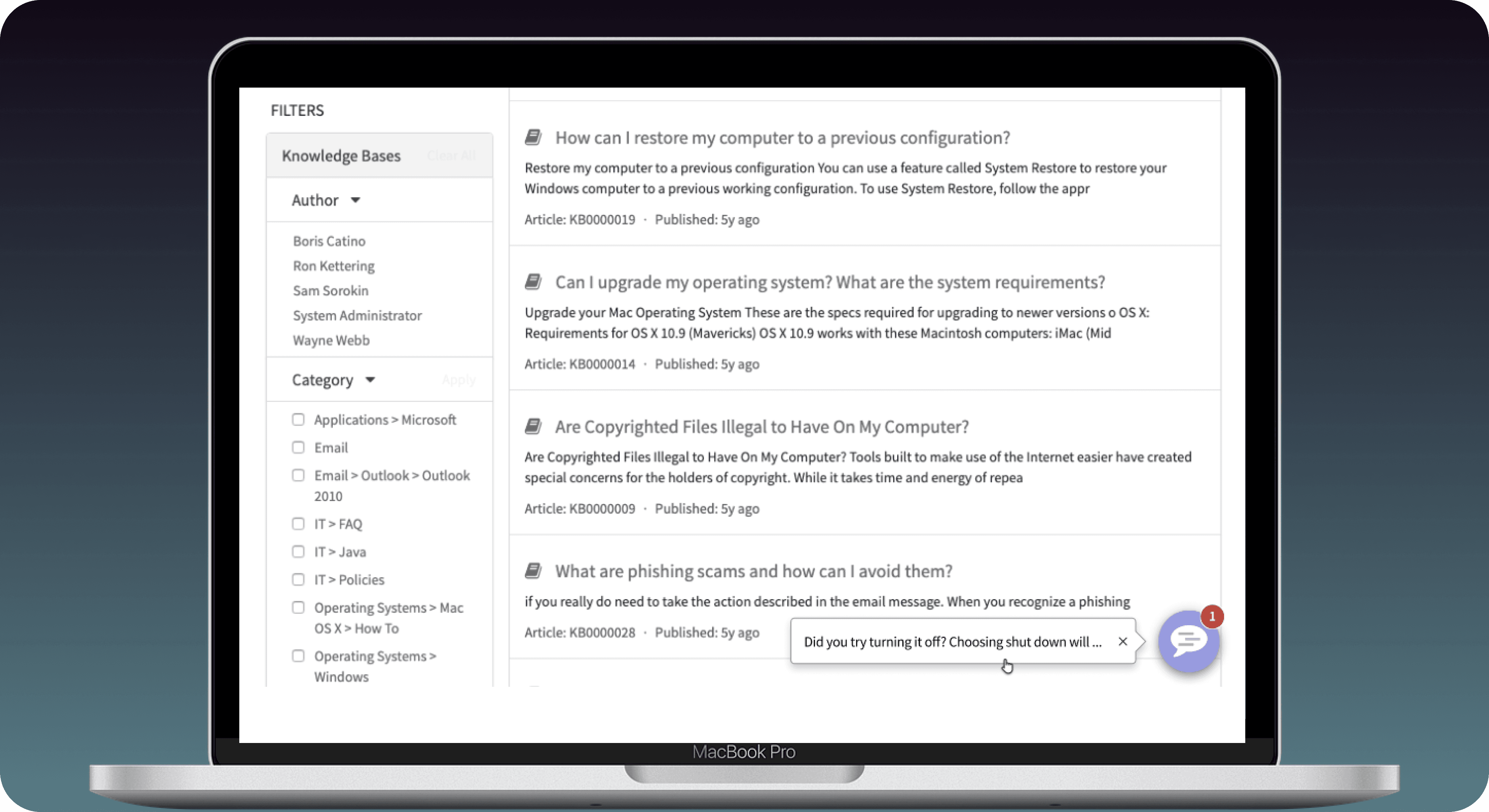
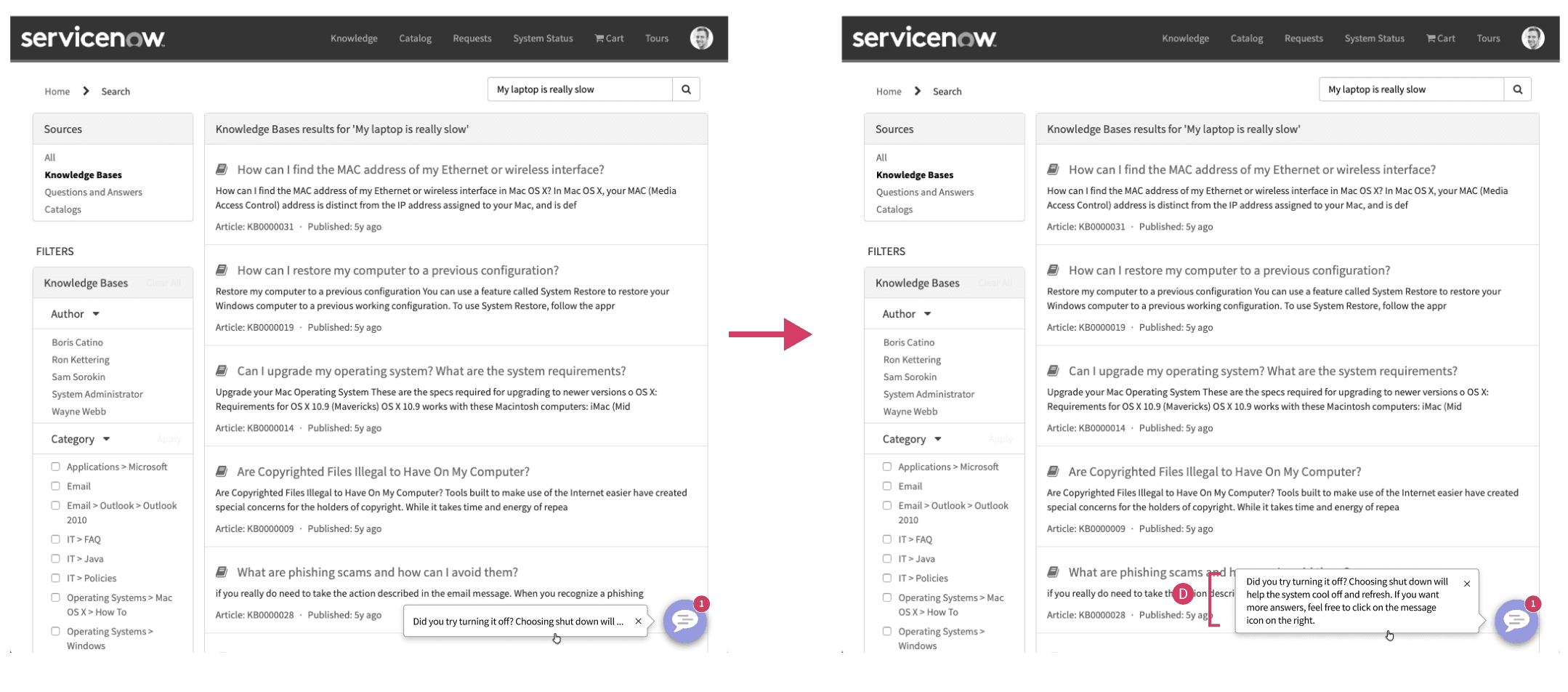
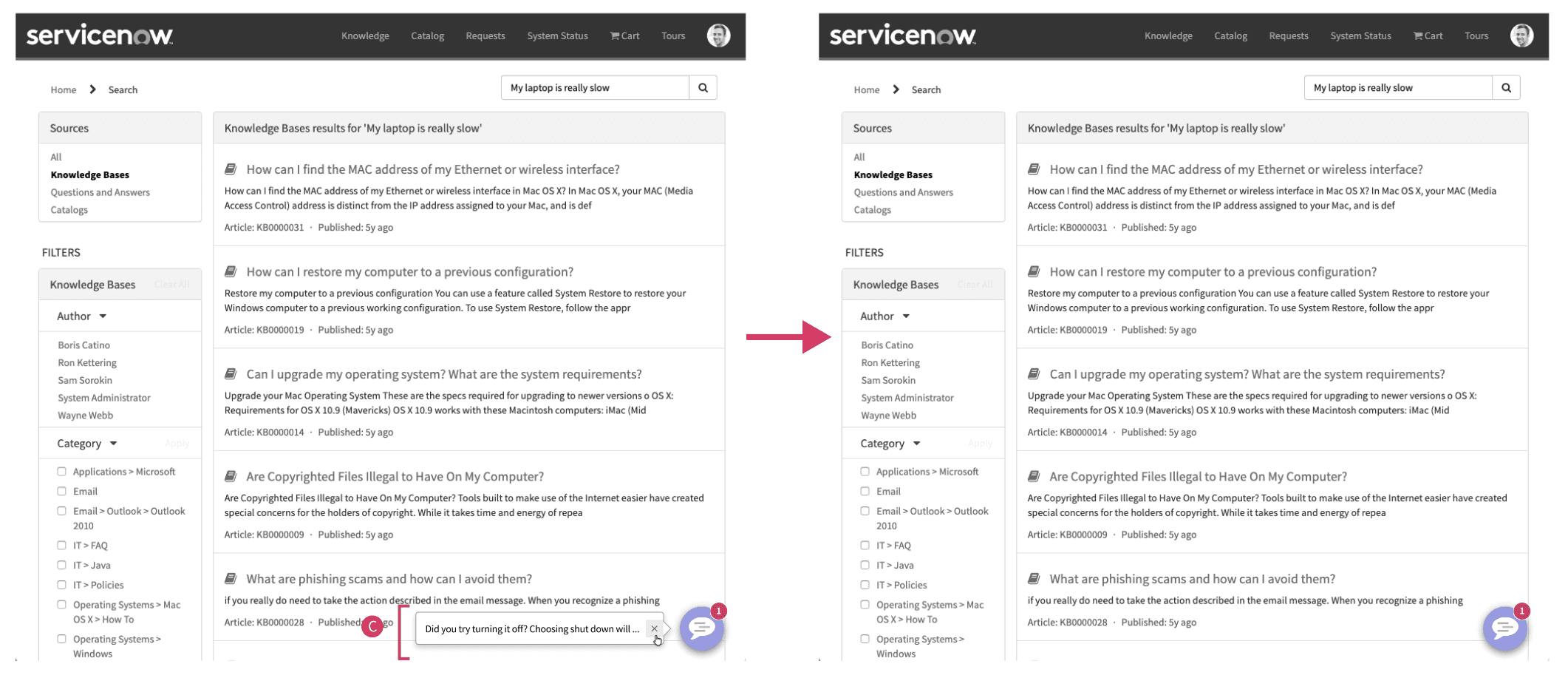
During usability testing, clients shared that even with strong branding, the chatbot still felt passive — it waited to be used instead of actively helping. They didn’t want a more intrusive bot; they wanted a smarter, more engaging one.
To increase engagement, we explored how the bot could anticipate user needs before being opened. By using behavioral signals (like search queries and page context), we designed a predictive interaction model that surfaced relevant help at the right moment.
From this, I created three predictive interaction scenarios:
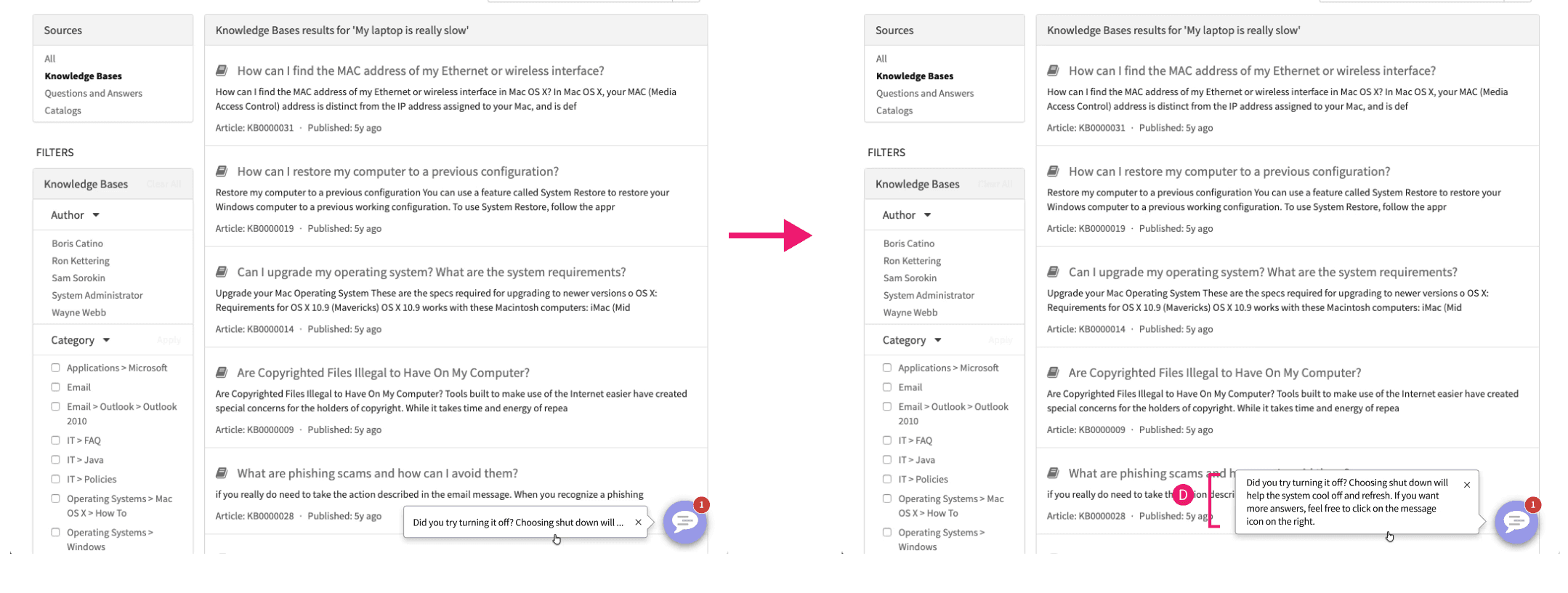
Outcome:
These predictive micro-interactions transformed the chatbot from a static support tool into a proactive guide. Early feedback showed that users were more likely to engage with the chatbot when it presented the right help at the right moment, and the behavior felt more human, intentional, and aligned with each organization’s workflows.
NEXT STEPS
Continuously Expand and Iterate
CREATE MORE HOLISTIC BRANDING EXPERIENCE
To create a more holistic product experience, we need a single, unified place where users can manage all of their branding needs.
ADD MORE PERSONALIZATION
Partner with the research team to deepen our understanding of customers’ branding needs.
OUTCOME
61% Adoption Rate After Launch
NEXT PROJECT